.svg)
How a print library actually gets messy
Nobody sets out to build a disorganised file library. It happens a few files at a time: a model downloaded again because the original filename didn't say what it was, a version re-exported after a small edit and saved next to the original instead of over it, a shared folder that quietly merges two people's copies of the same figure under different names. None of this looks wrong in a normal file browser. Every file opens fine. Every thumbnail renders. The problem is invisible until it isn't.
Why duplicates are worse than wasted disk space
The real cost of duplicates isn't storage, modern drives are cheap. It's picking the wrong one. When the same model exists under two or three names, there's no way to tell from the file itself which is the current version, which has the fixed supports, or which was the one that actually printed cleanly last time. A multi-hour print on the wrong copy is a far more expensive mistake than the few megabytes it was sitting in.
The failure mode a file browser can't show you
A separate, less obvious problem is scale tampering: a file that opens normally, slices normally, and previews normally, but has a hidden transform, a unit mismatch, or a rescale baked in that means it will print at the wrong size. This can happen from a slicer round-trip, an import between tools that don't agree on units, or a file shared by someone who scaled it for their own use and forgot to reset it before passing it on. Nothing about the file itself signals this. The model looks completely normal until it comes off the plate the wrong size, after the material and the print time are already spent.
A file that's been rescaled still has valid geometry, valid triangles, a valid mesh. There's nothing malformed about it. The only way to catch a scale problem before printing is to compare it against something, either a known-good original, or an expected real-world size, which isn't something a normal file browser or slicer preview does automatically.
How BUI3D Vault catches both
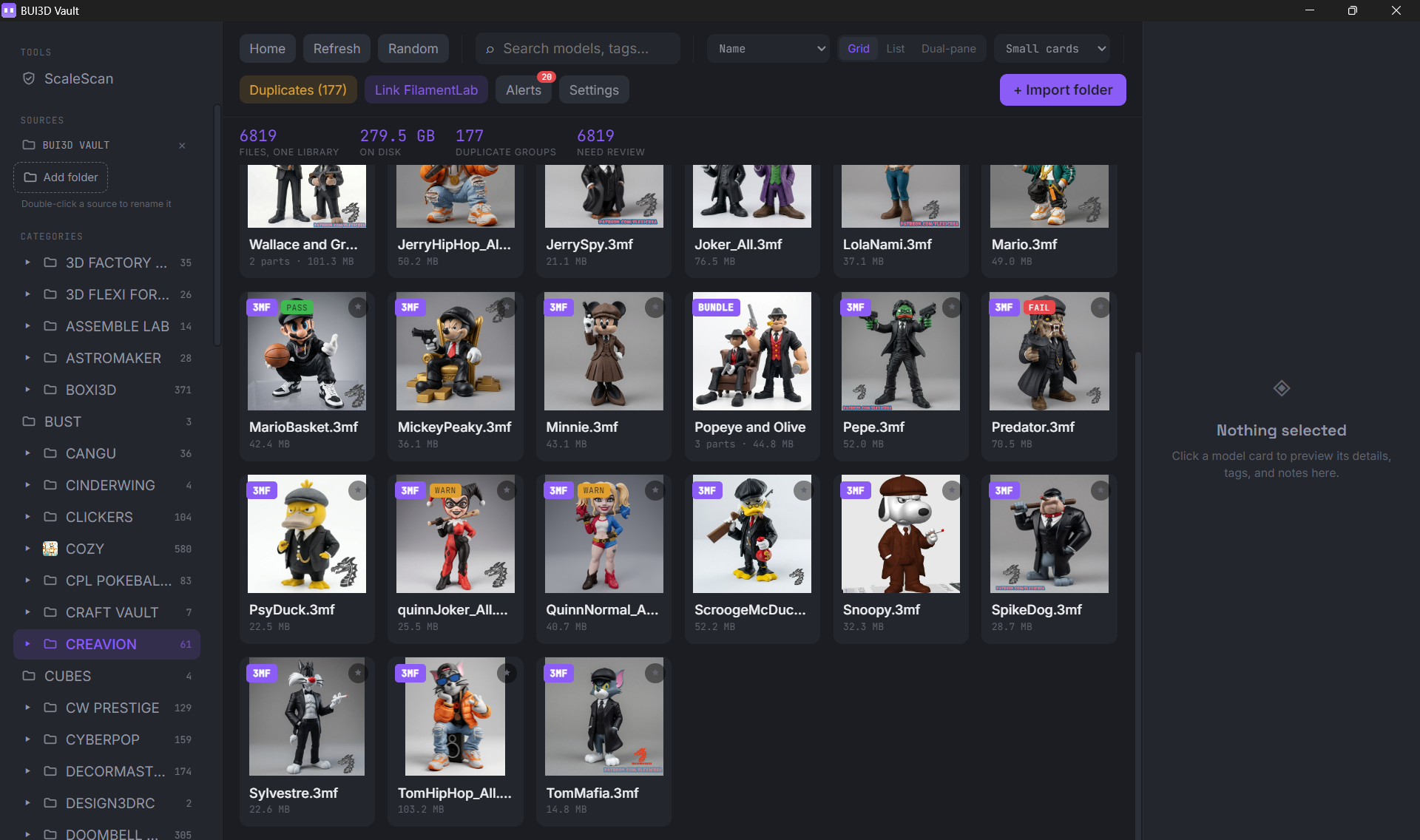
BUI3D Vault scans a local print file library and groups files it identifies as duplicates, based on more than just matching filenames, so a renamed copy still gets caught. It also includes ScaleScan, a local, offline tool that checks .stl and .3mf files for scale tampering: a unit mix-up, a hidden transform, or a rescale that would otherwise look like a completely normal file.
Everything runs locally against your own file library. Nothing is uploaded anywhere to be checked.
What review actually looks like
Vault doesn't delete anything automatically. Duplicate groups are presented for review, with file size and part count shown side by side, so the decision about which copy to keep (and which to remove) stays with you. Files that pass a scale check are marked clearly; ones that fail are flagged for a closer look before they ever reach a print queue.
A FilamentLab subscription includes BUI3D Vault as a downloadable desktop app, alongside FilamentLab's presets, benchmarking and failure diagnosis tools.
Get BUI3D Vault with a FilamentLab subscription
Scan your own print file library for duplicates and scale tampering, alongside FilamentLab's verified presets, AI failure diagnosis and live humidity monitoring.
Explore FilamentLab