.svg)
Why PETG strings in the first place
Stringing happens when a small amount of molten filament oozes out of the nozzle during a travel move, between two points that aren't meant to be connected by plastic. PETG is worse for this than PLA because it has a wider melt viscosity window: it stays stringy-soft over a broader temperature range, so the retraction and temperature settings that stop PLA from stringing often aren't enough for PETG. The fix is almost never one single number. It's usually a combination of two or three things slightly off at once.
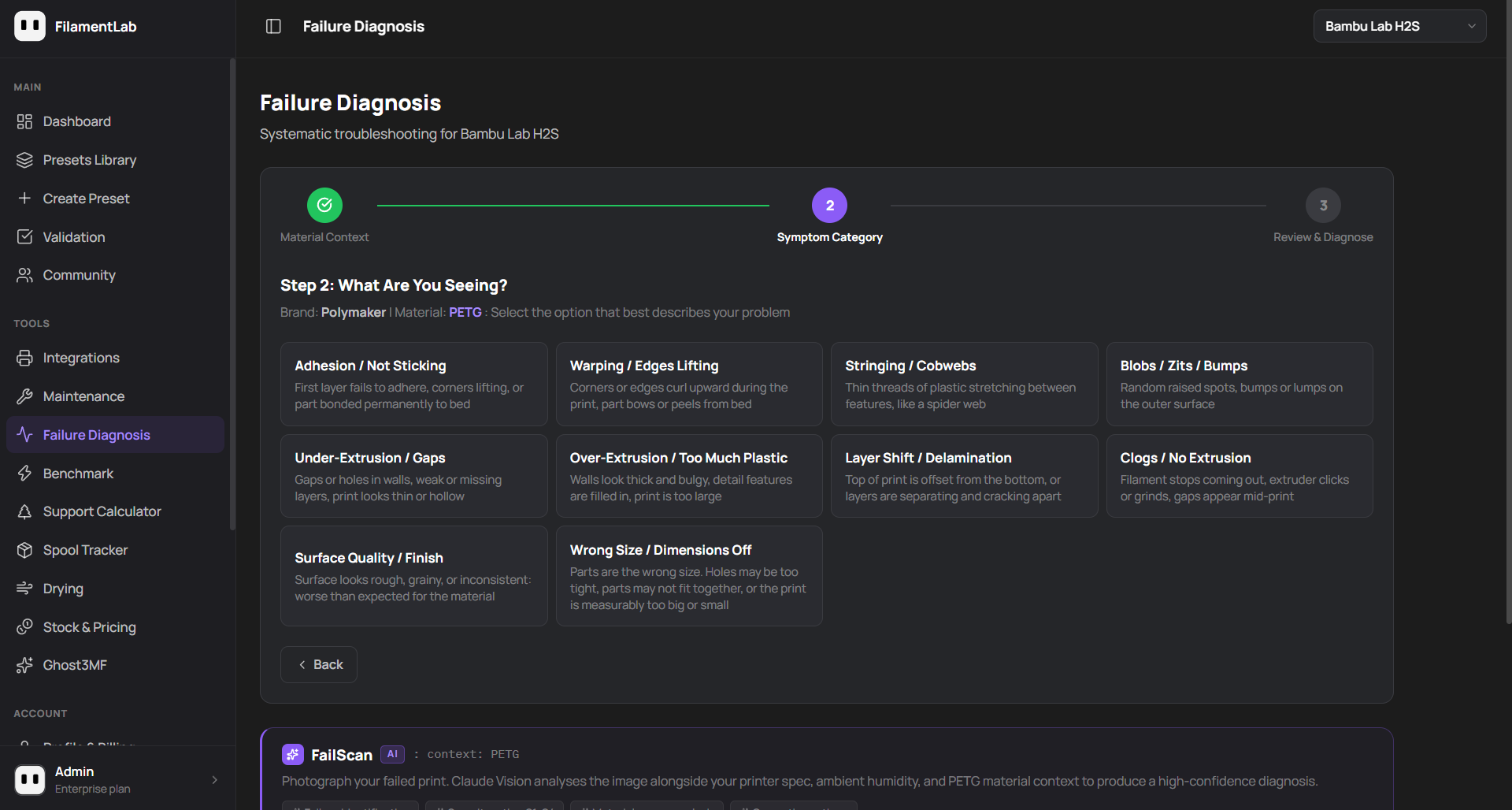
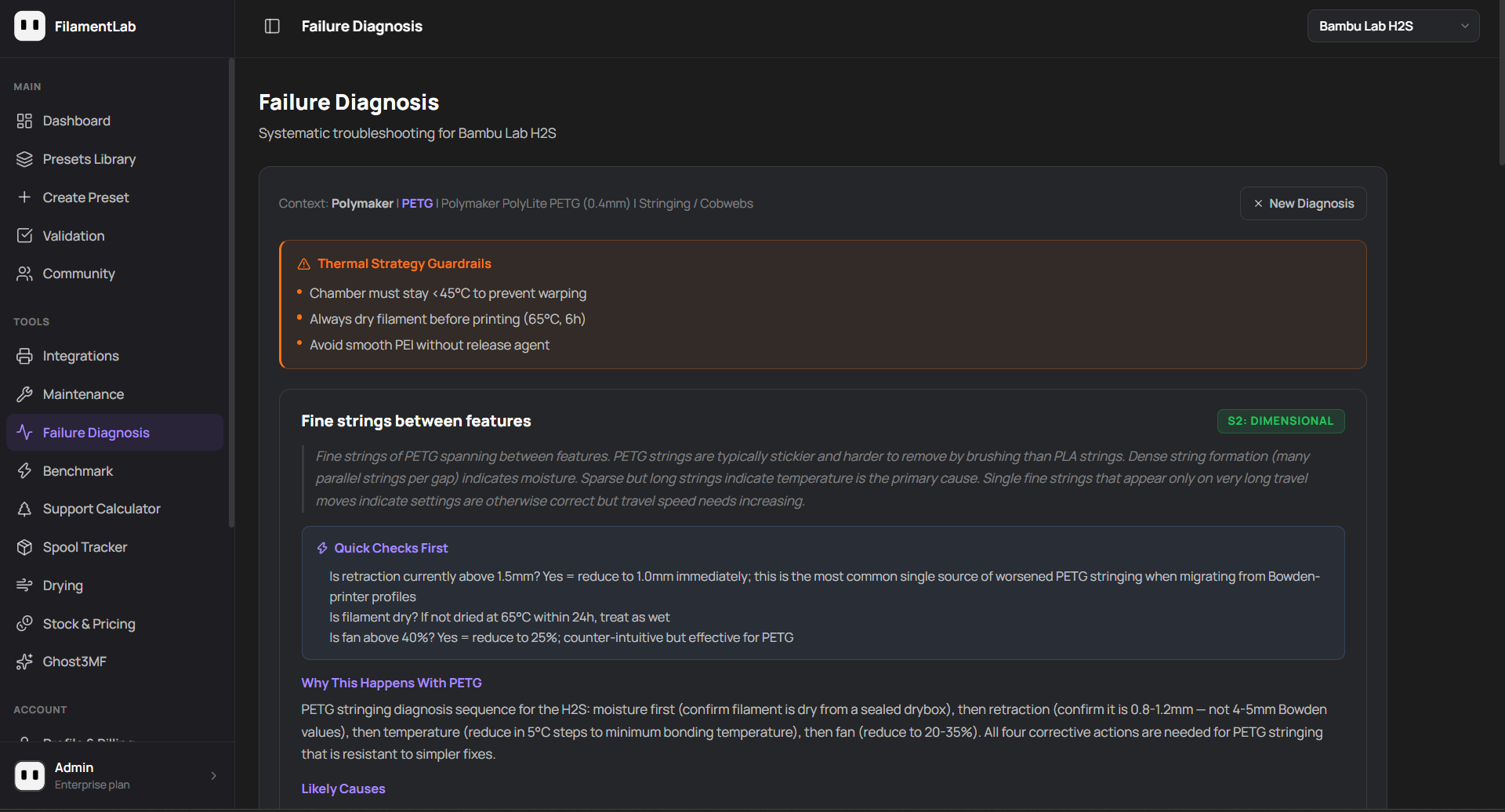
FilamentLab's Failure Diagnosis tool walks through this exact decision tree, matched to your specific printer and material, rather than a generic checklist.
The diagnostic order that actually works
Checking these in the wrong order wastes time; fixing temperature before confirming retraction is correct, for example, often masks the real cause rather than solving it. This is the order that resolves PETG stringing fastest, based on how often each one is actually the cause.
1. Retraction: the single most common cause
By far the most frequent cause of PETG stringing on a Bambu Lab printer is retraction inherited from a different printer's profile, or from a generic slicer default written for Bowden extruders.
Bowden-style retraction (4–5mm) is roughly three to six times higher than what a direct drive Bambu Lab printer needs. On the H series, P series and X series, correct PETG retraction is 0.8–1.2mm. Using Bowden values doesn't just fail to help, it actively causes under-extrusion gaps alongside the stringing, because the extruder spends part of every travel move re-priming filament it never needed to pull back that far.
- Direct drive (H series, P series, X series): retraction should be 0.8–1.2mm
- Retraction speed: 25–35mm/s is typically correct; higher speeds on PETG risk grinding, not less stringing
- If stringing persists at correct retraction, the cause is very likely moisture or temperature, not retraction distance
2. Moisture: the cause that looks like something else
PETG is hygroscopic. A spool that's been sitting open, even for a day or two in a normal room, can absorb enough moisture to change how it strings, without any other visible sign of a wet spool (no popping or crackling the way wet PLA or nylon does). Wet PETG tends to produce dense, fine stringing, many short strings per travel move, rather than the long single strands typical of a pure retraction problem.
Sparse but long strings that appear mainly on long travel moves point to retraction or temperature. Dense clusters of short, fine strings, especially if they've gotten worse over the last few prints from the same spool, point to moisture.
If in doubt, dry the spool first: 65°C for 6 hours in an active drybox resolves moisture-related stringing more reliably than any slicer setting change.
3. Temperature: reduce in small steps
If retraction is already correct and the spool is confirmed dry, the next variable is nozzle temperature. Too hot, and PETG becomes thin enough to ooze regardless of retraction. Reduce in 5°C steps from your current setting, testing a string-heavy area of the model between each change, rather than jumping straight to the minimum of the recommended range.
4. Part cooling fan speed
Counter-intuitively, too much part cooling can worsen PETG stringing rather than fix it: aggressive cooling right at the nozzle tip changes how cleanly a string breaks during travel. 20–25% is usually correct for PETG. If fan speed has crept above 40% (a PLA-appropriate value left over from a copied profile), that's worth checking alongside retraction.
PETG stringing fix, by printer type
| Setting | Direct drive (H series, P series, X series) | Bowden-derived profile (incorrect for the above) |
|---|---|---|
| Retraction distance | 0.8–1.2mm | 4–5mm |
| Retraction speed | 25–35mm/s | 25–45mm/s |
| Part cooling fan | 20–25% | 20–25% |
| Drying (if not confirmed dry) | 65°C / 6h / active drybox | 65°C / 6h / active drybox |
When it isn't actually stringing
A few PETG defects get mistaken for stringing but have different causes. Small raised blobs or zits at the same X/Y position on every layer are usually a retraction retiming issue (a coasting or wipe setting), not a distance issue. Oozing specifically at the start of a print, before any travel moves happen, points to nozzle priming rather than in-print retraction, and won't be fixed by any of the settings above.
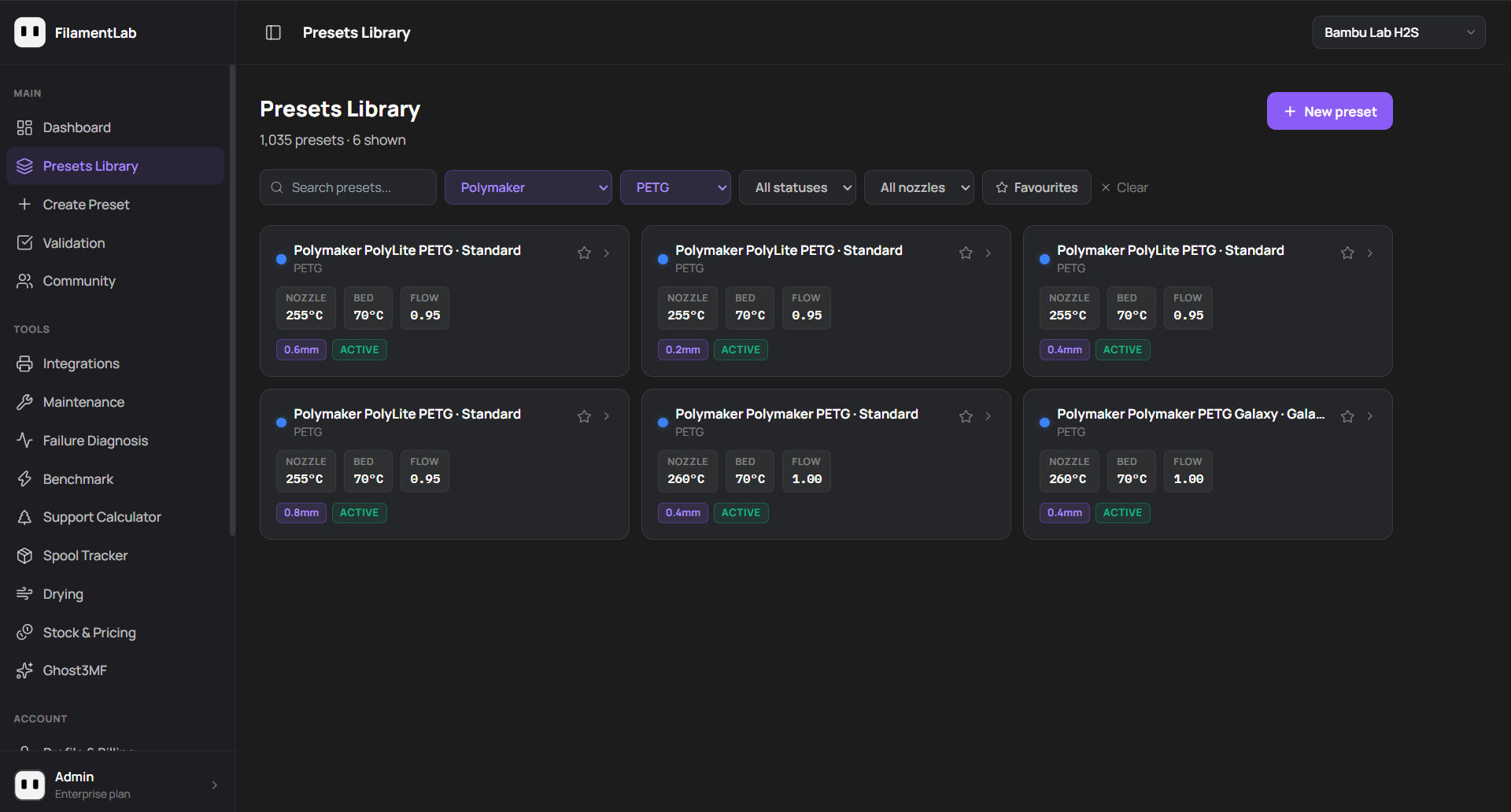
For printer-specific and brand-specific presets with full thermal strategy notes, flow calibration data and failure diagnosis tools, FilamentLab covers the full Bambu Lab lineup.
Diagnose your own PETG stringing in under a minute
FilamentLab's Failure Diagnosis tool matches your exact symptom to your printer and material, with thermal strategy guardrails and quick checks built in, the same flow shown above.
Explore FilamentLab